# budctl
Control your wireless earbuds from Linux, without the vendor app: noise control, EQ, game mode,
touch controls, battery and more. There is a command-line tool, `budctl`, and a desktop app,
`budctl-gui`, both built on the same library.
- No telemetry and no account. budctl talks to your buds over Bluetooth, through BlueZ.
- The settings live on the buds, so budctl works alongside the phone app.
**Supported buds:** realme Buds T310. More are added as the author gets them.
## Install
You need Linux with BlueZ, and for the desktop app a Wayland desktop. Release builds are for
x86_64 and aarch64 (glibc 2.35 or newer).
```sh
curl -fsSL https://github.com/krolyxon/budctl/releases/latest/download/install.sh | sh
```
This puts `budctl` and `budctl-gui` in `~/.local/bin`, and a launcher entry in
`~/.local/share/applications`. The download is checked against its SHA-256 checksum. Options:
```sh
sh install.sh --version 0.1.1 # a given release instead of the latest
sh install.sh --prefix /usr/local # elsewhere (uses sudo when it must)
sh install.sh --uninstall # remove them again; your config and log stay
```
To build from source instead (Rust 1.88 or newer), run `./install.sh --source` in a checkout.
Pair the buds and connect them in your Bluetooth settings first.
## Command line
```sh
budctl list # paired buds, and whether budctl knows them
budctl status # battery, noise control, EQ, switches
budctl anc off|on|transparency # noise control
budctl anc light|medium|deep # noise cancelling, at this strength
budctl eq # the EQ presets, and the one in use
budctl eq deep-bass # select a preset
budctl eq custom-4 50=+3 16000=-2 # change bands of a custom preset (dB)
budctl eq new Gym # create a custom preset: flat, and put to use
budctl eq rename custom-4 "Gym mix" # rename a custom preset
budctl eq delete custom-4 # delete a custom preset
budctl game on|off # game mode (low latency)
budctl set bass-boost|spatial|wind|dual on|off
budctl dual # the phones and computers dual connection keeps
budctl bass 2 # bass level, -5 to +5
budctl touch # what each tap and hold does
budctl touch left triple-tap previous # give a gesture an action (--dry-run first, if you like)
budctl touch cycle off anc # the modes a hold steps through
budctl find start --yes # ring the buds (loud: take them out of your ears)
budctl find stop
```
- `--json` prints machine-readable output for scripts and status bars (`"schema": 1`).
- `--debug` hex-dumps every frame sent and received, on stderr.
- `--device ` picks the buds when more than one supported pair is connected. Without it,
`"device"` in the config file (below) is used, if set.
Exit codes:
| Code | Meaning |
|---|---|
| 0 | success |
| 1 | usage error |
| 2 | buds not found or not connected |
| 3 | control channel busy |
| 4 | the buds rejected the command or did not answer |
## Desktop app
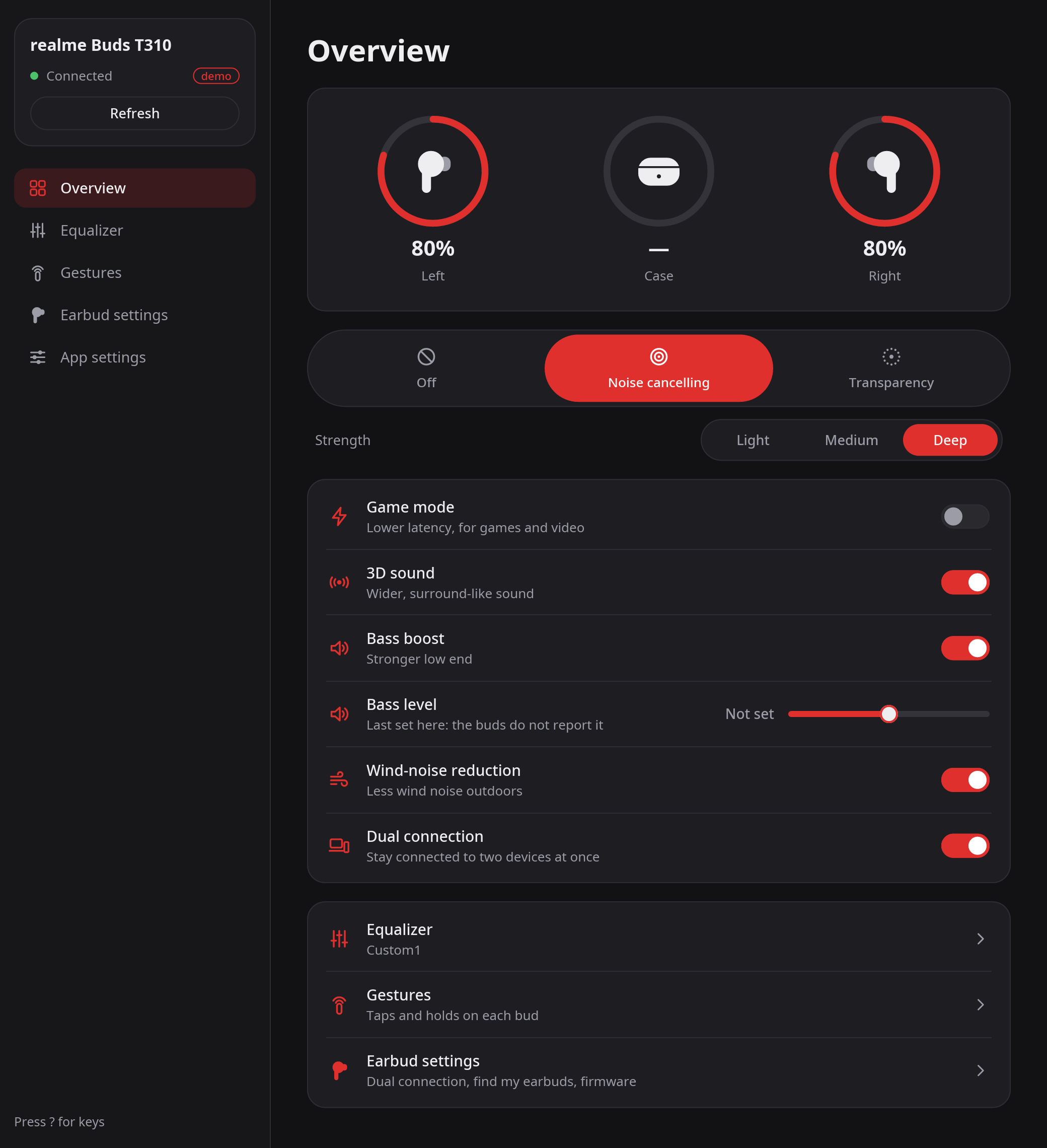
`budctl-gui` has five pages:
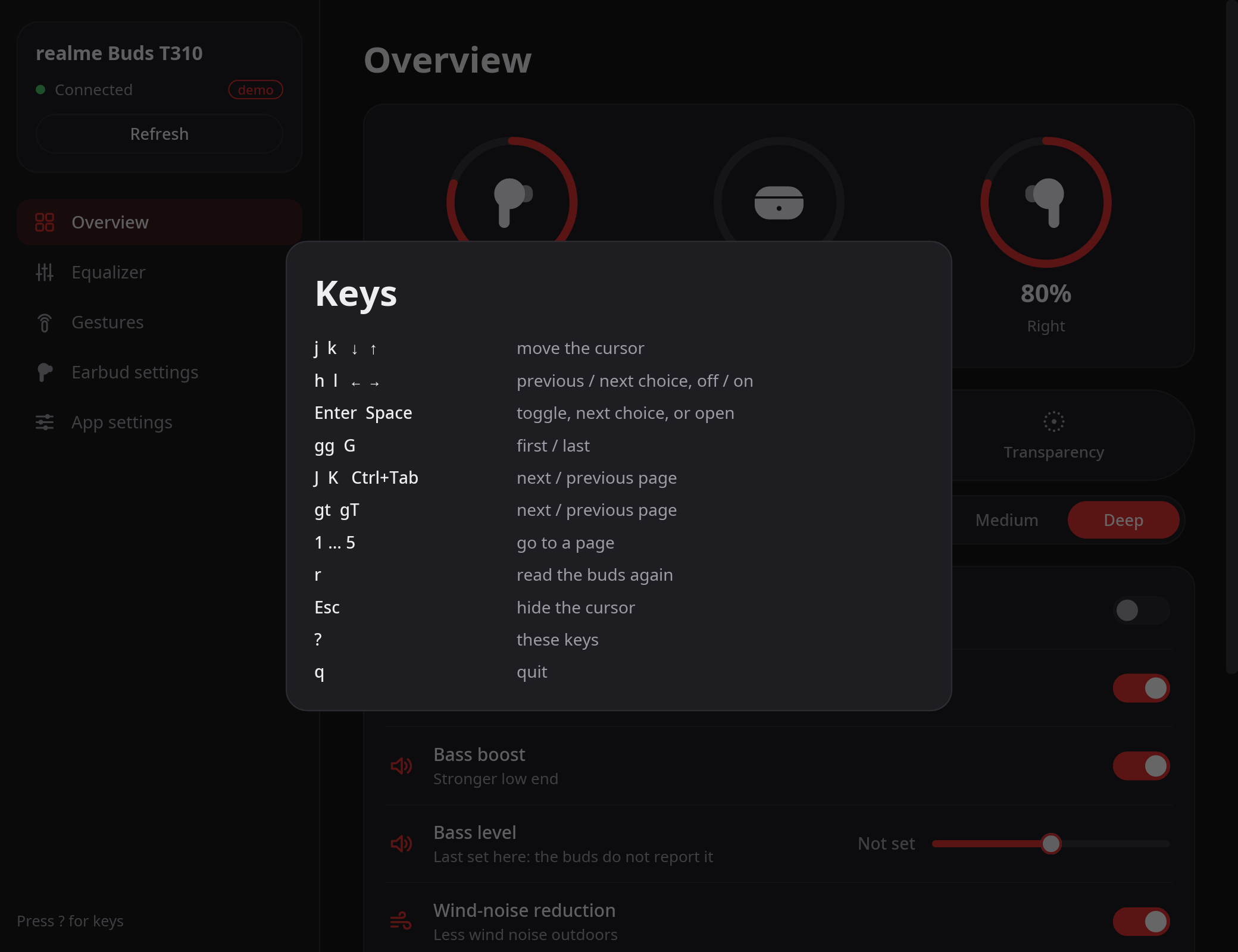
- **Overview:** battery, noise control and its strength, the switches, the bass level.
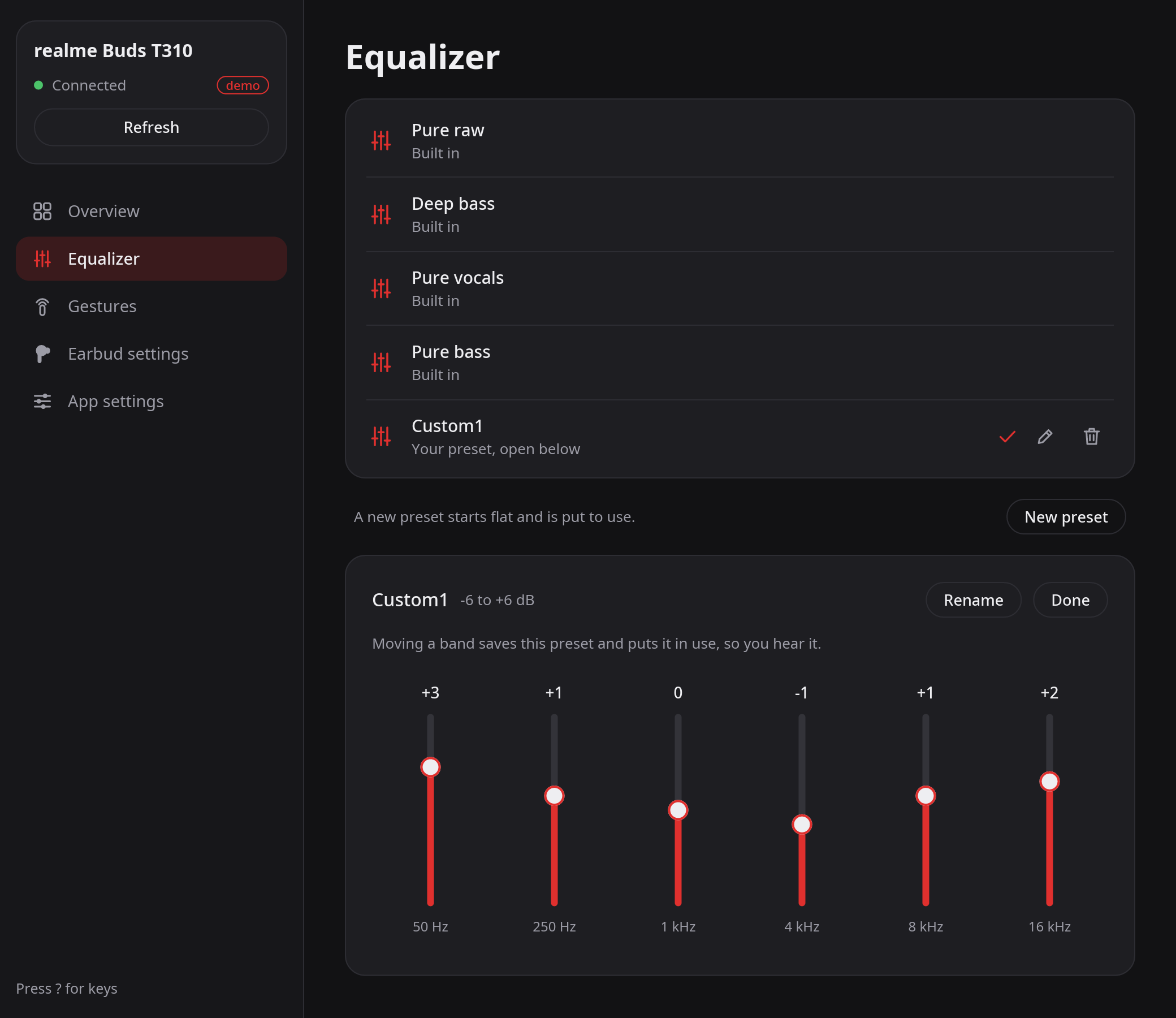
- **Equalizer:** the presets; create, rename and delete your own, and change their bands.
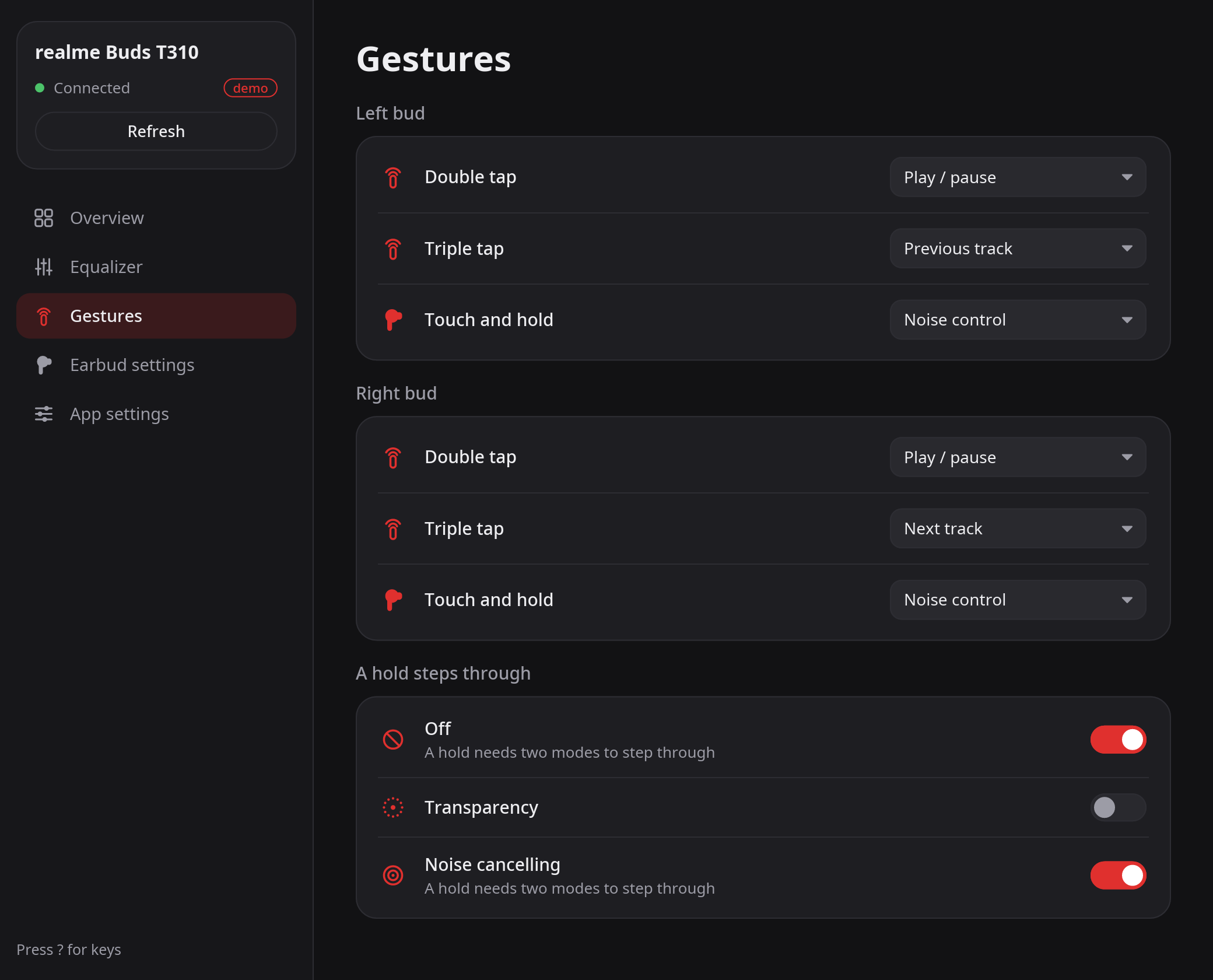
- **Gestures:** what each tap and hold does on each bud, and what a hold steps through.
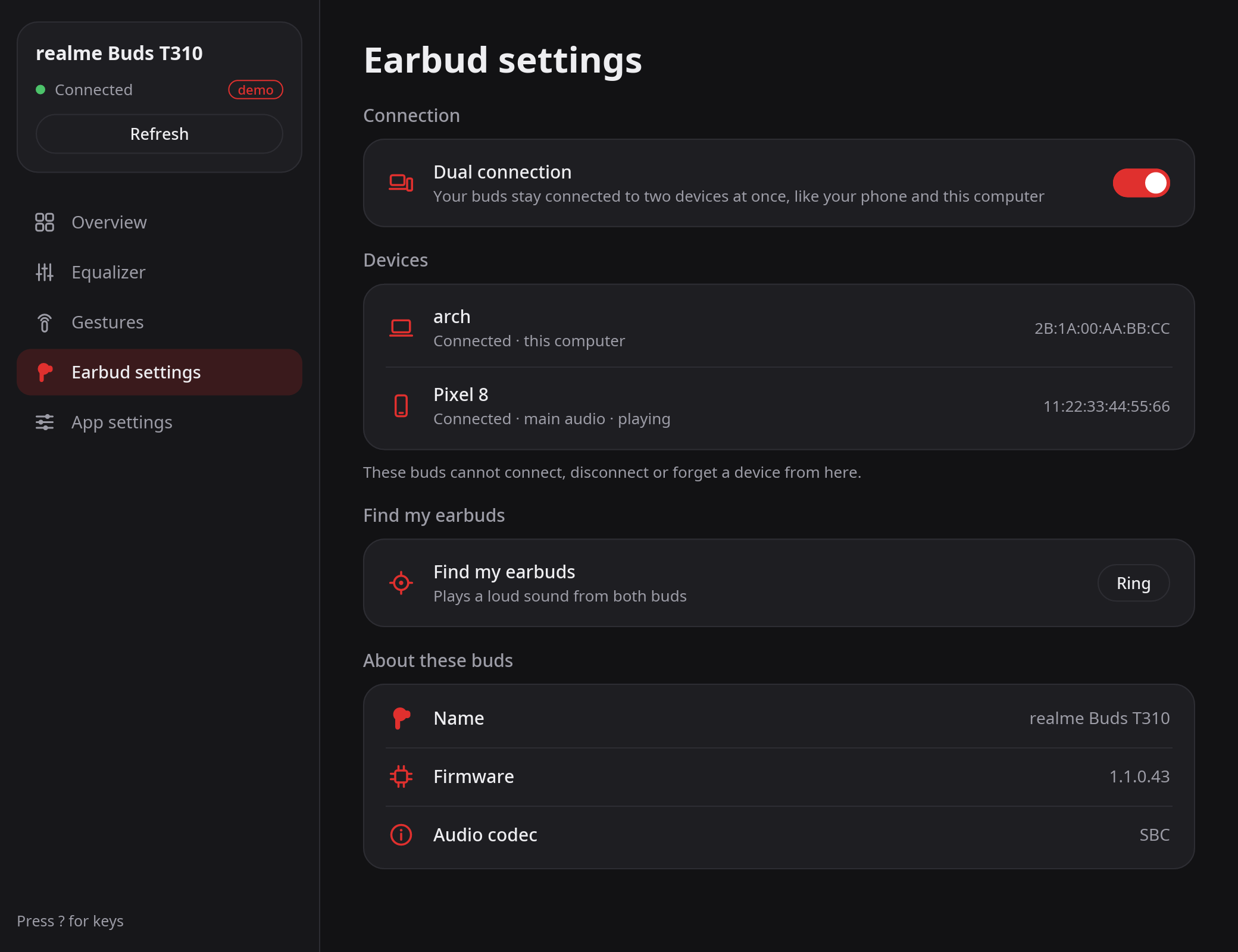
- **Earbud settings:** dual connection and the devices it keeps, find my earbuds, firmware, audio codec.
- **App settings:** where the colors come from, the keys, the version.
The screenshots show `--demo`'s made-up buds.
The app connects when it needs to, and frees the buds' control channel 10 s after your last
change, so other apps can use it. A change shows "Saving…" until the buds confirm it.
The mouse works everywhere. Vim-like keys work on top of it (press `?` in the window):
| Keys | What they do |
|---|---|
| `j` `k`, arrows, Tab | move the cursor |
| `gg` `G` | first / last item |
| `h` `l` | previous / next choice, switch off / on; `l` opens a row's page |
| Enter, Space | toggle, step through the choices, or open |
| `J` `K`, Ctrl+Tab, `gt` `gT` | next / previous page |
| `1` … `5` | go to a page |
| `r` | read the buds again |
| Esc | hide the cursor |
| `q` | quit |
The cursor shows only after you press a key, and the first key only shows it.
**Colors:** a built-in dark palette with a red accent, or a [matugen](https://github.com/InioX/matugen)
palette: `--theme `, else `~/.config/budctl/theme.json`. The file is JSON with these keys, all
optional: `bg`, `fg`, `primary`, `primaryFg`, `primaryContainer`, `secondary`, `surfaceLow`,
`surface`, `surfaceHigh`, `surfaceHighest`, `outlineVariant`, `surfaceVariantFg`, `err`. It is read
again whenever the window gets focus, so a new wallpaper's colors show up there too. When the file
is missing, the app writes the built-in colors there: a starting point for a matugen template.
**Log:** each launch writes errors and session events (connected, each change and its answer,
closed) to `~/.local/state/budctl/gui.log`, replacing the last launch's.
Other options: `--demo` shows made-up buds without Bluetooth; `--debug` and `--device` work as in
the command-line tool.
## Config
`~/.config/budctl/config.json` is created with the defaults the first time it is needed. Every key
is optional; a file with a mistake is reported and the defaults are used.
```json
{
"device": null,
"gui": {
"idle_seconds": 10,
"start_page": "overview"
}
}
```
- `device`: the buds to use when `--device` is not given, as `"AA:BB:CC:DD:EE:FF"`.
- `gui.idle_seconds`: how long the app keeps the control channel open after the last change
(1–600).
- `gui.start_page`: `overview`, `equalizer`, `gestures`, `earbuds` or `settings`.
## How it works
budctl speaks the buds' own control protocol over an RFCOMM socket. What is known about it, and
how sure, is written down in [`docs/protocol/`](docs/protocol/): the
[transport](docs/protocol/transport.md) and the [realme Buds T310](docs/protocol/realme_t310.md).
## License
GPL-3.0-or-later. See [LICENSE](LICENSE).