Dotfiles
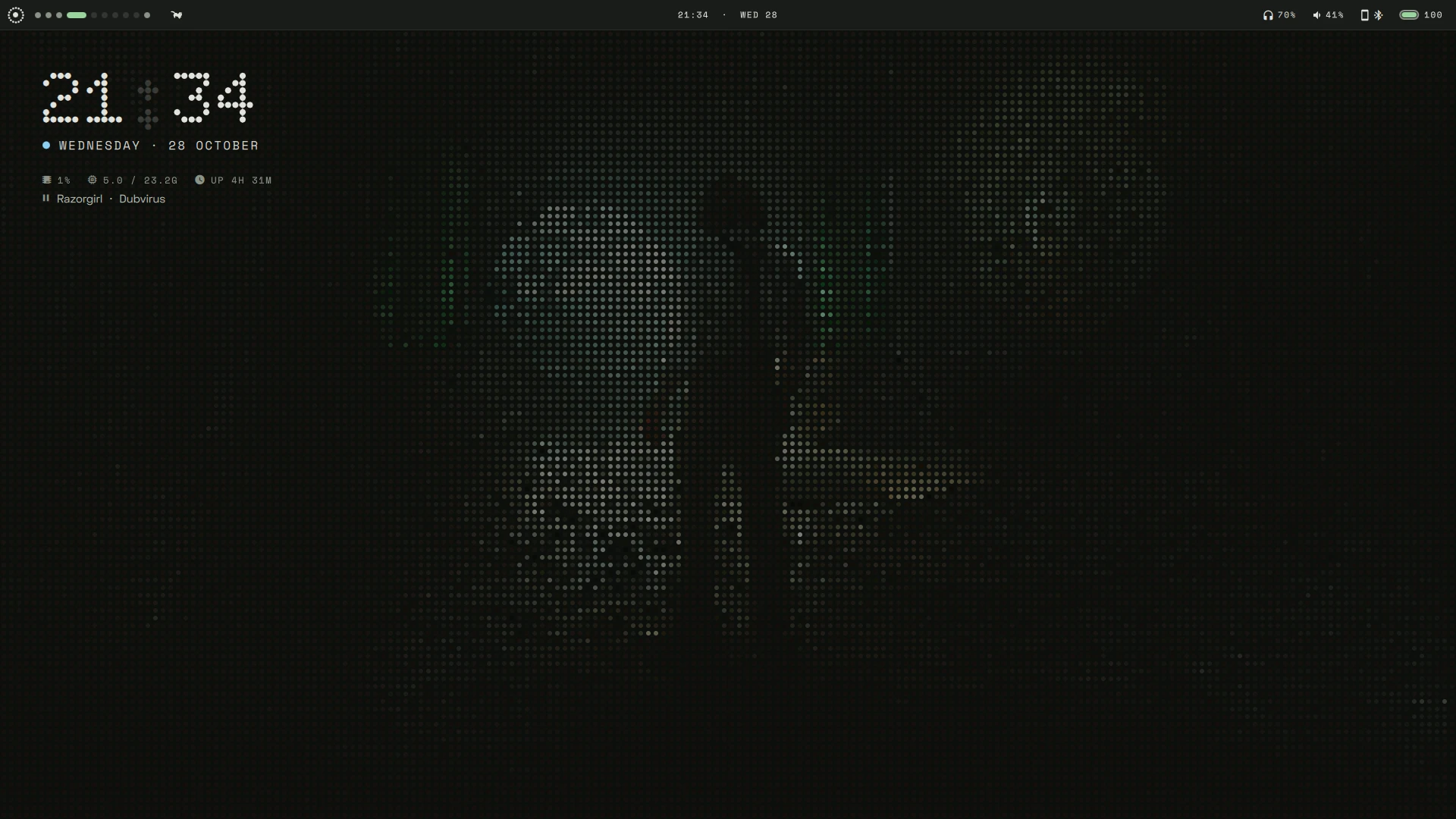
My desktop: Arch Linux + Hyprland (Lua config) + aurora, a custom Quickshell shell (bar, panel, notifications, OSD, dock), themed live from the wallpaper with matugen and deployed with GNU stow.
aurora
One shell instead of waybar, dunst, wlogout, fuzzel and a pile of scripts, in a Nothing OS style (Doto dot-matrix type, pills, LED dots; after glyph-rice) with Material You colours: everything below is themed from the current wallpaper, which aurora draws itself as mono dots, colour dots or the plain photo.
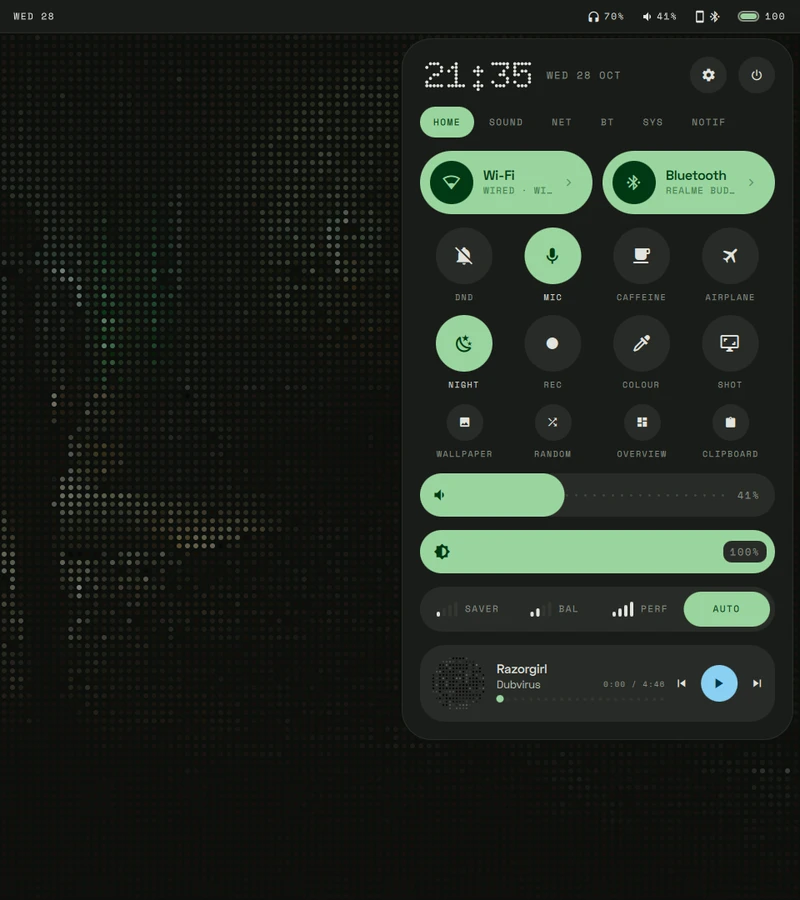 Control panel · media, volume/mic/brightness, quick toggles, capture, session |
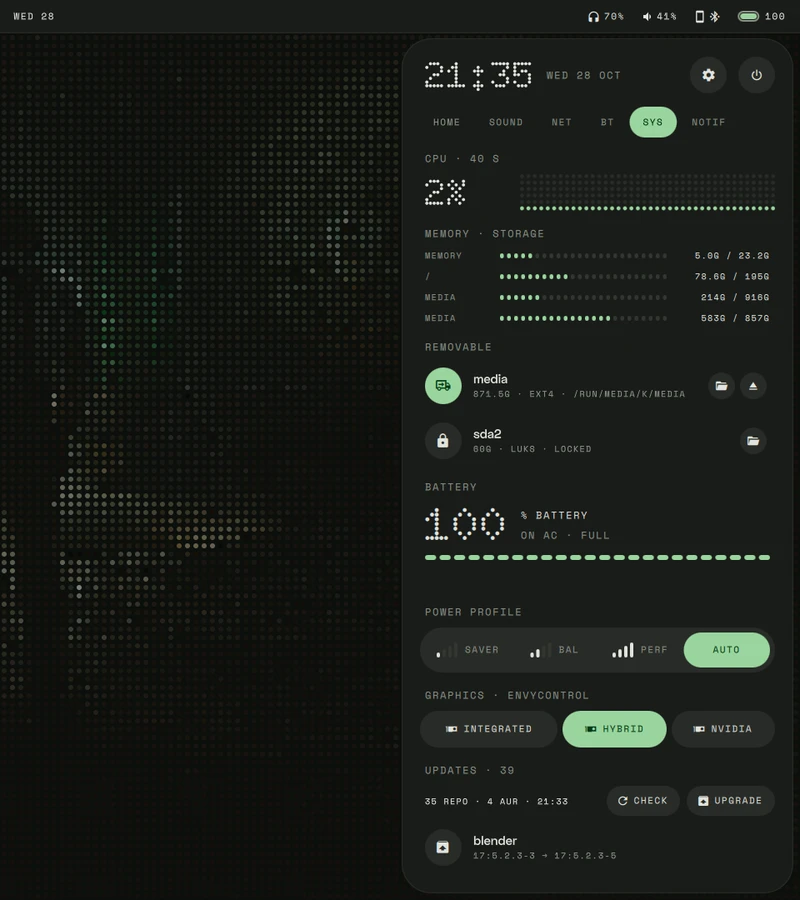 System · cpu, memory, disks, battery, power profile, GPU mode (envycontrol) |
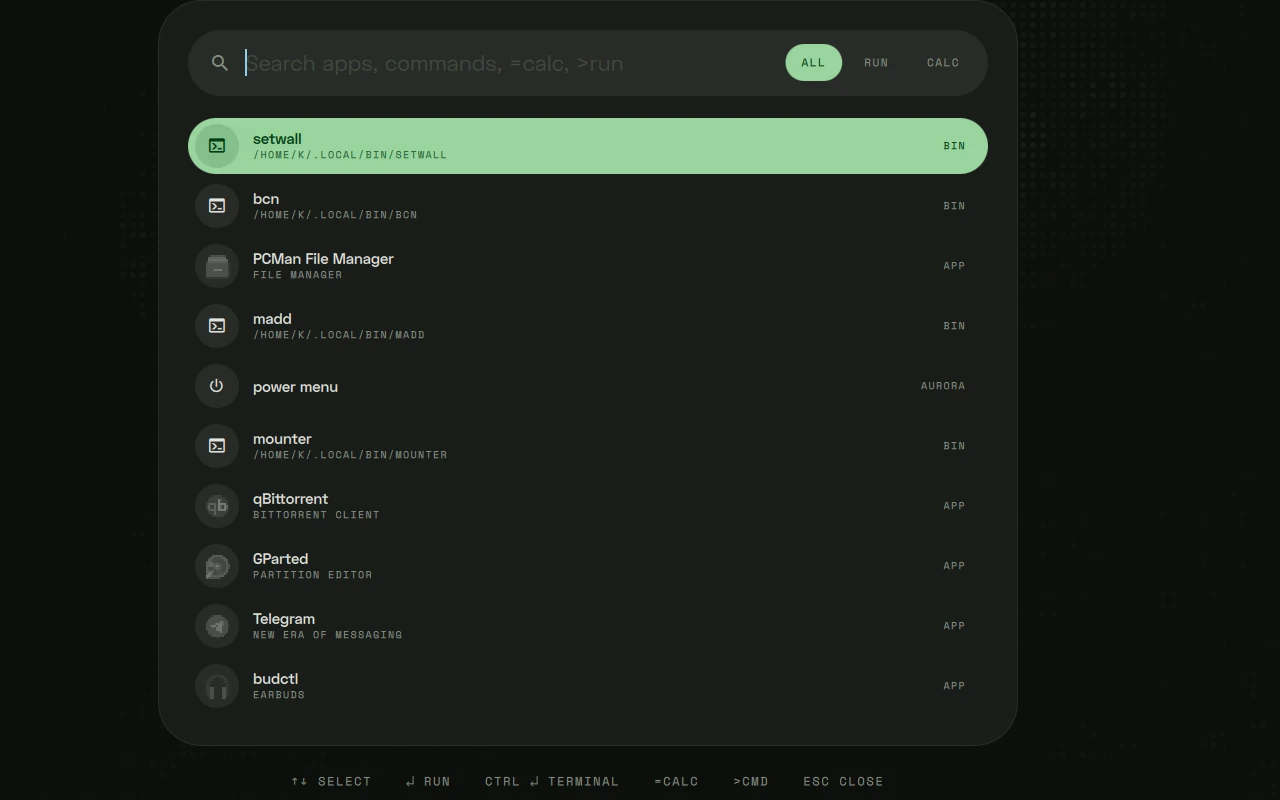 Runner (Super+R) · apps, scripts, calc, shell; also a dmenu for scripts |
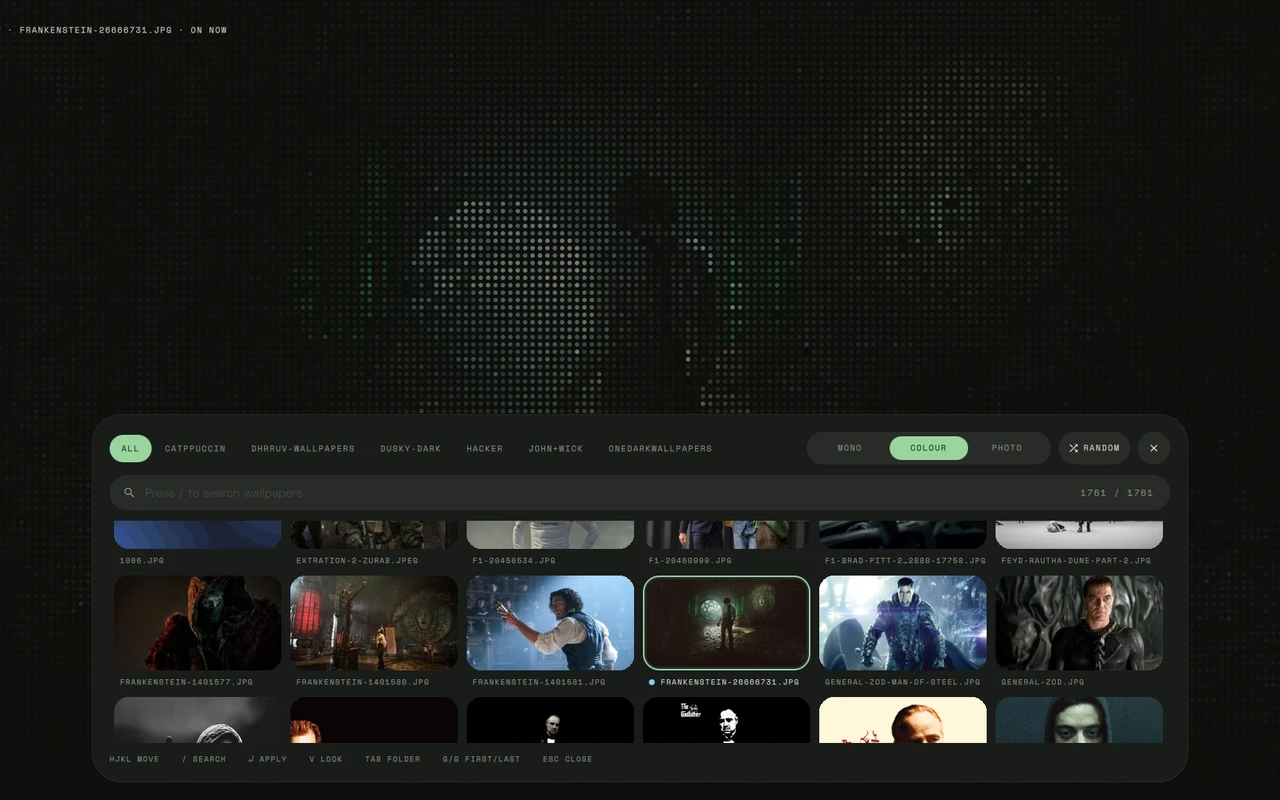 Wallpaper picker · live full-screen preview, folders, search, vim keys, three looks; re-themes everything through matugen |
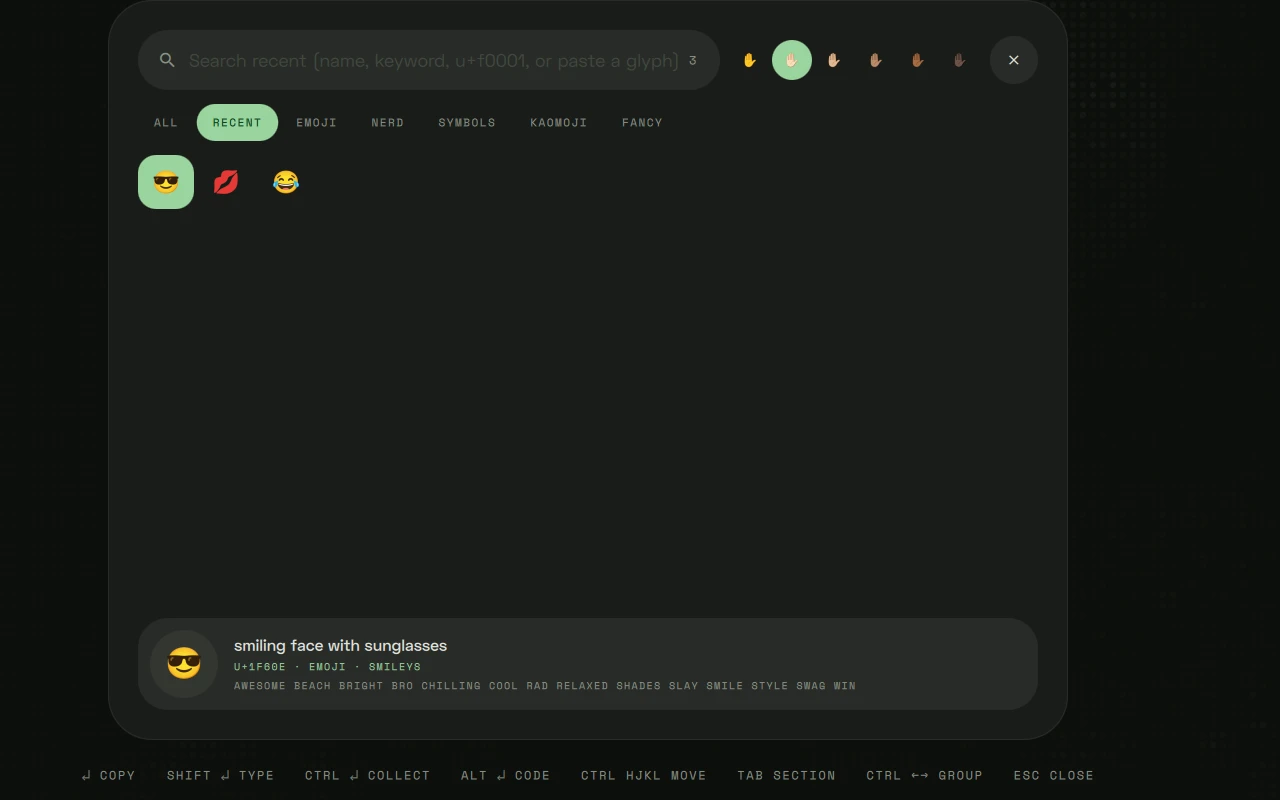 Glyph picker (Super+`) · emoji, nerd icons, symbols, kaomoji, fancy text |
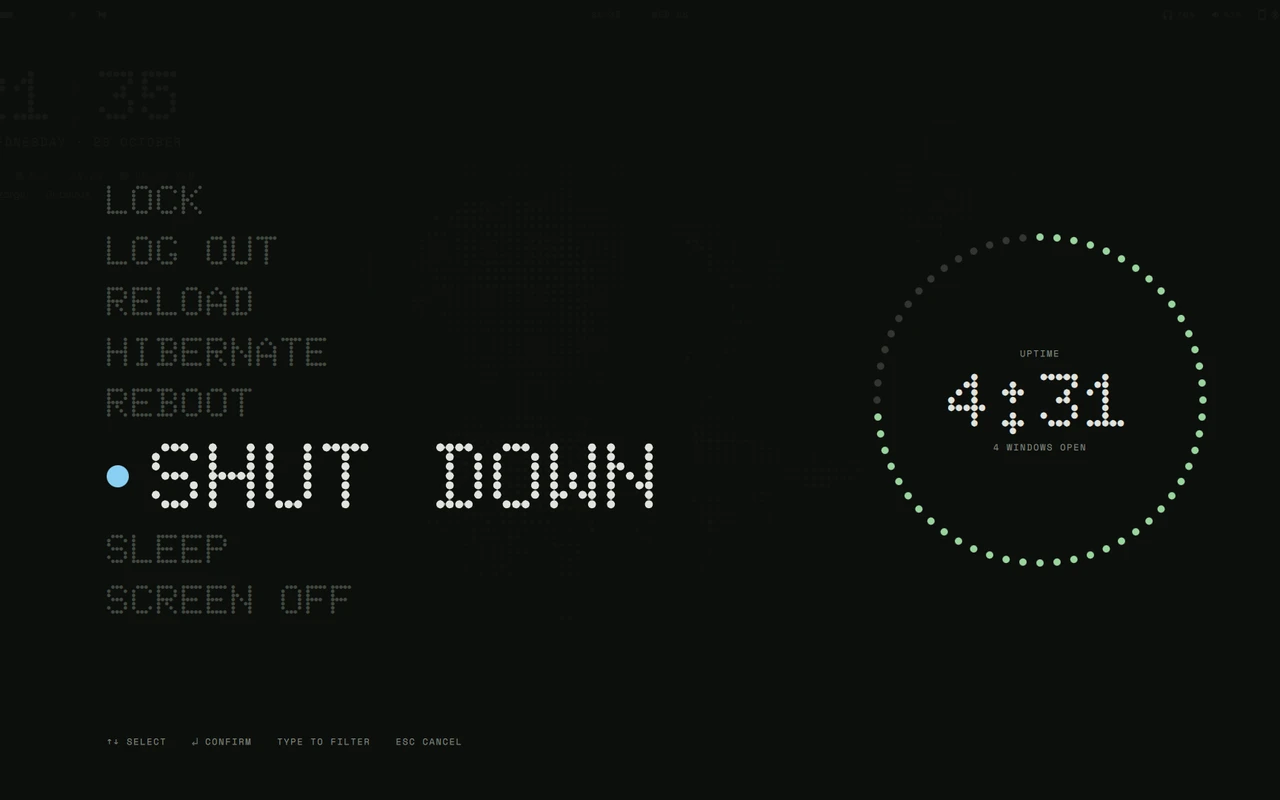 Power menu (Super+Esc) · lock, logout, suspend, reboot, ... |
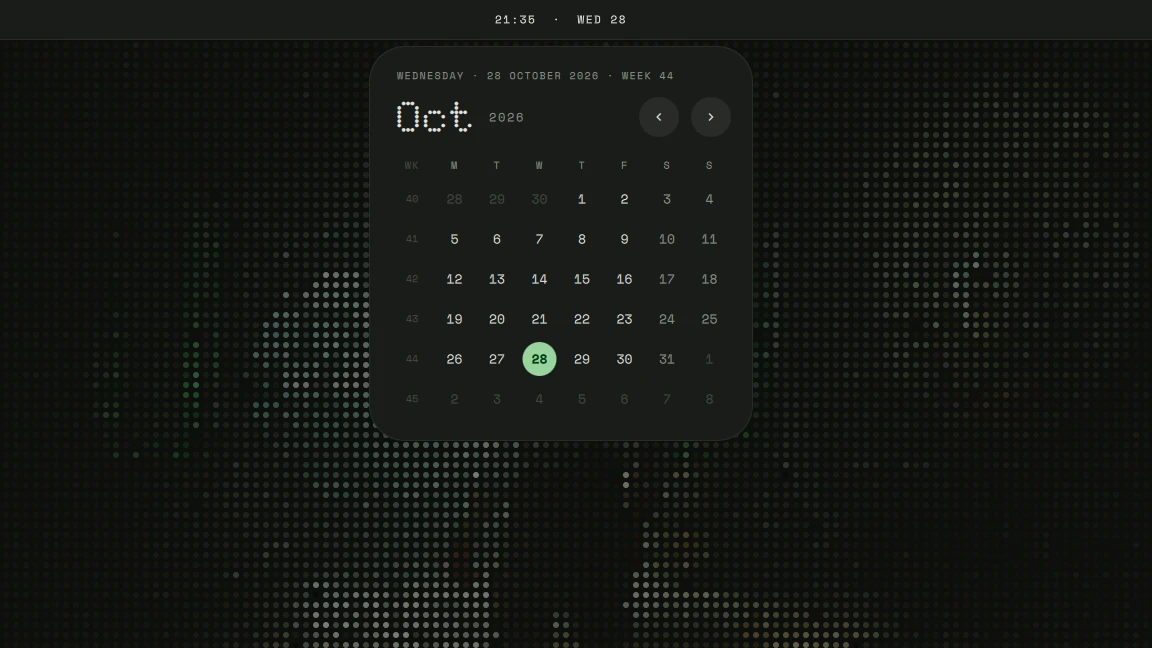 Calendar · from the clock in the bar |
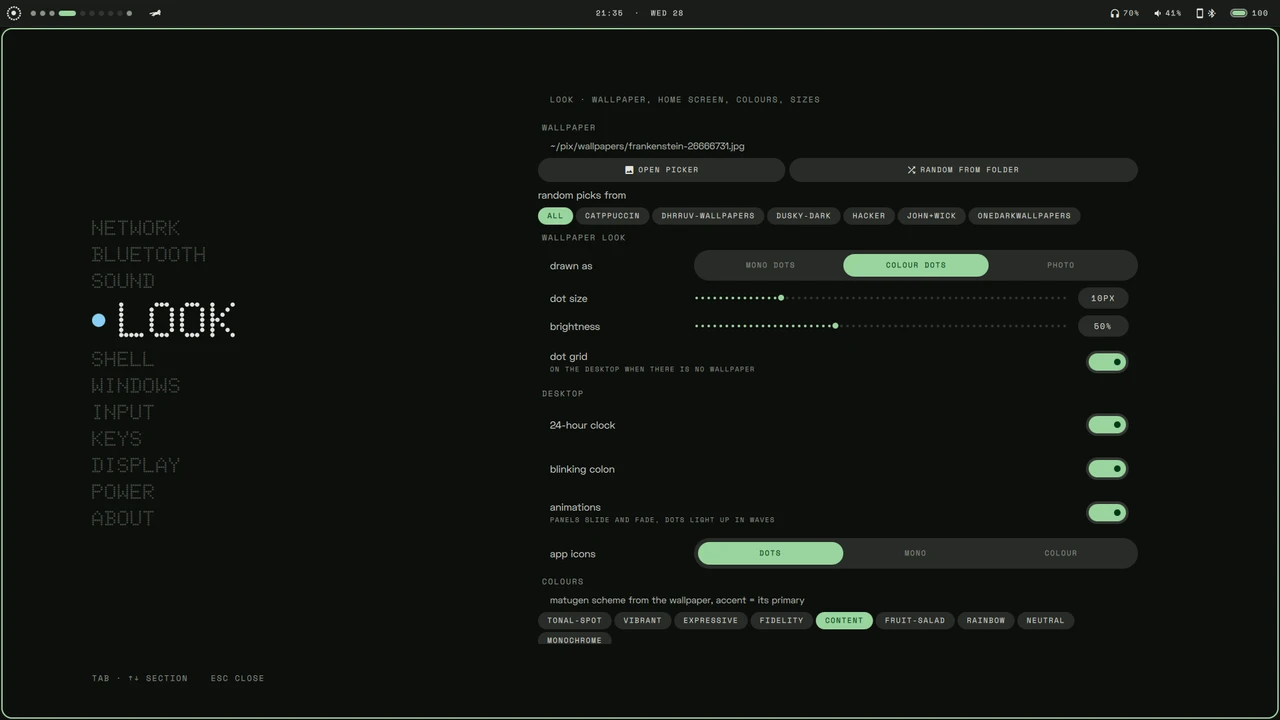 Settings (Super+I) · network, sound, appearance, Hyprland, keybinds, display, power |
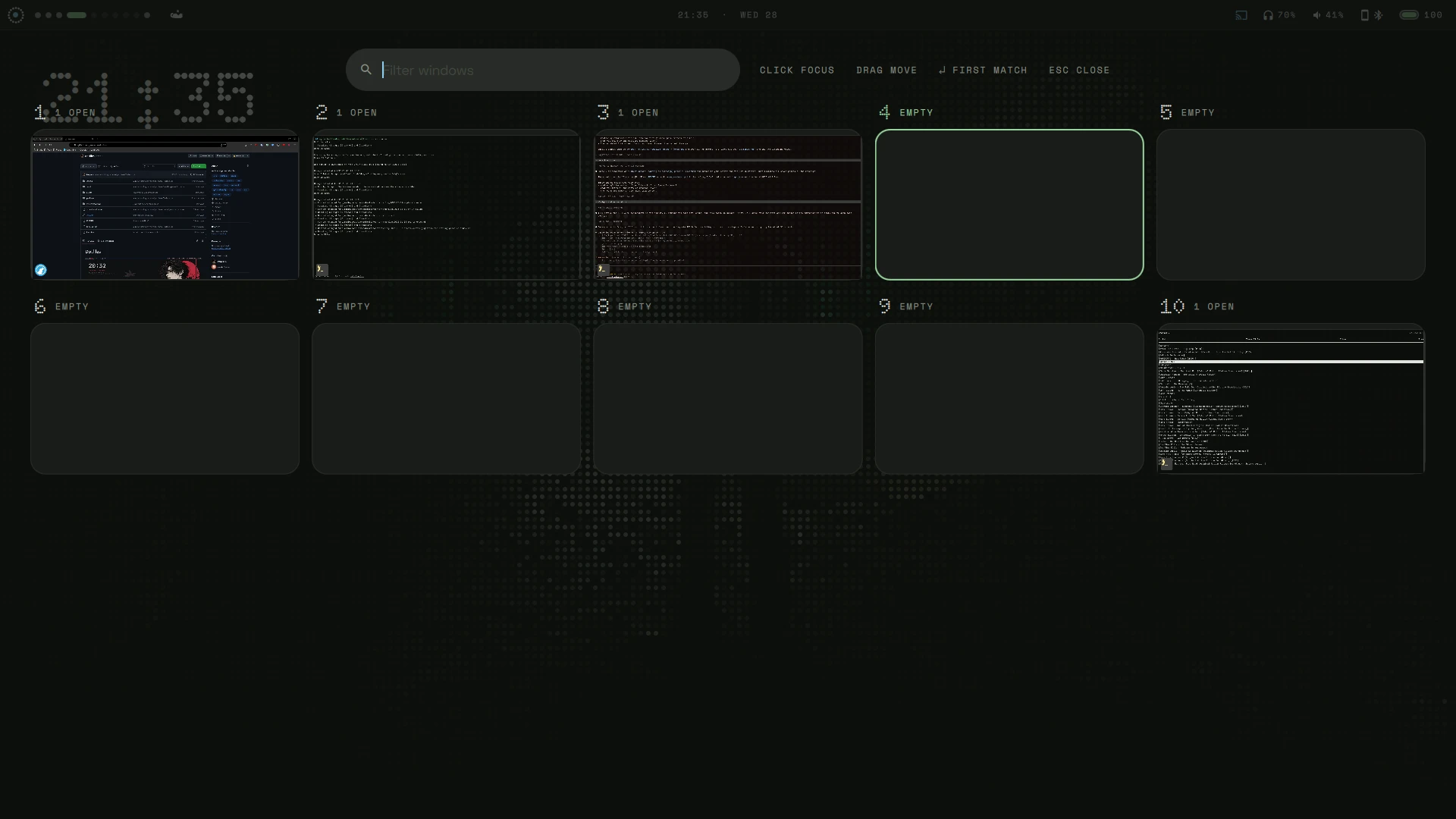 Overview · live previews of every workspace and window, click to jump |
|
Warning
This is my personal setup, not a general purpose dotfiles framework.
It's built around my hardware (Lenovo Legion, Intel + NVIDIA hybrid graphics, linux-zen), my monitors,
my keyboard and my habits. I'm not trying to make it work for everyone, and I won't be adding options
or support for other setups. It's public as a reference, or for people who want exactly the same
setup as me.
Only run install.sh on a freshly installed, unconfigured Arch Linux system. It installs a lot of
packages (NVIDIA drivers included if you pick them), replaces your configs with symlinks, changes your login
shell and can enable system services. Don't run it on a system you already use.
Installing (fresh Arch only)
git clone https://git.krolyxon.com/dotfiles ~/.dotfiles
cd ~/.dotfiles
./install.sh           # interactive: pick packages per group
./install.sh --yes     # pre-select the default packages, no pickers
./install.sh --check   # only compare installed packages with the lists, changes nothing
The repo has to live at ~/.dotfiles (stow links into the parent directory).
Packages
The lists live in packages/*.txt: one package per line, # for comments, and a trailing ! means
"listed, but not pre-selected".
| file | |
|---|---|
desktop.txt |
always installed: Hyprland, Quickshell, PipeWire, the tools the shell and keybinds call |
utils.txt |
CLI tools, fonts, media, small utilities |
dev.txt |
development tools |
gpu.txt |
Intel + NVIDIA (nvidia-open-dkms) drivers. Change this for your hardware |
optional.txt |
desktop apps |
aur.txt |
AUR packages (installed with paru) |
base.txt |
reference only, never installed: what the base install already provides |
What's inside
| WM | Hyprland (Lua config), hypridle, hyprlock; aurora draws the wallpaper (mono dots, colour dots or photo) |
| Shell / bar | aurora (Quickshell) |
| Theming | matugen: picking a wallpaper in aurora (or setwall) re-themes everything (GTK via adw-gtk3, Qt via qt6ct); accent = the wallpaper's own colour, near-black surfaces. The terminal (foot) too, with ANSI colours tinted toward the wallpaper |
| Terminal / shell | foot, zsh |
| Editor | Neovim (LazyVim) |
| Launcher / menus | aurora's runner (aurora-run, also a dmenu replacement for scripts) |
| Files | lf, pcmanfm |
| Music / video | mpd + ncmpcpp, mpv |
| Font / icons | Doto, Space Grotesk, Space Mono (shell UI, vendored in .local/share/fonts/glyph), JetBrainsMono Nerd Font, Papirus-Dark |
Credits
- aurora's look follows Nothing OS via glyph-rice by Nebelung-cloud
(GPL-3.0): the design language, the dot-matrix shaders (
.config/quickshell/aurora/shaders/) and several components are ported from it; ported files say so in their header. Nothing, Nothing OS and Glyph are trademarks of Nothing Technology Ltd; this is a fan setup, not affiliated with Nothing. - Fonts in
.local/share/fonts/glyph/: Doto, Space Grotesk and Space Mono, under the SIL Open Font License (OFL.txtnext to them).