Dotfiles
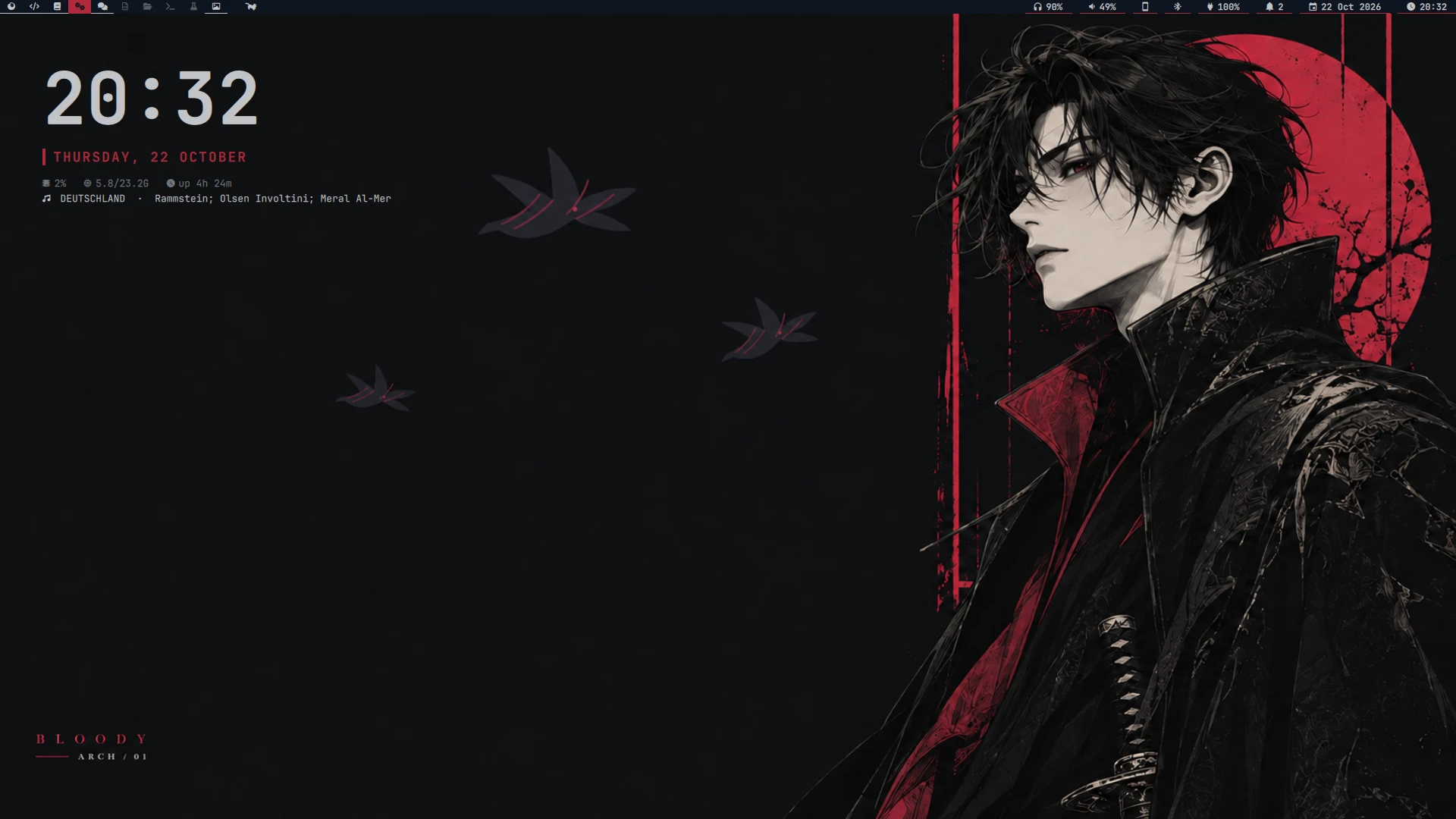
My desktop: Arch Linux + Hyprland (Lua config) + aurora, a custom Quickshell shell (bar, panel, notifications, OSD, dock), themed live from the wallpaper with pywal16 and deployed with GNU stow.
aurora
One shell instead of waybar, dunst, wlogout, fuzzel and a pile of scripts. Everything below is themed from the current wallpaper.
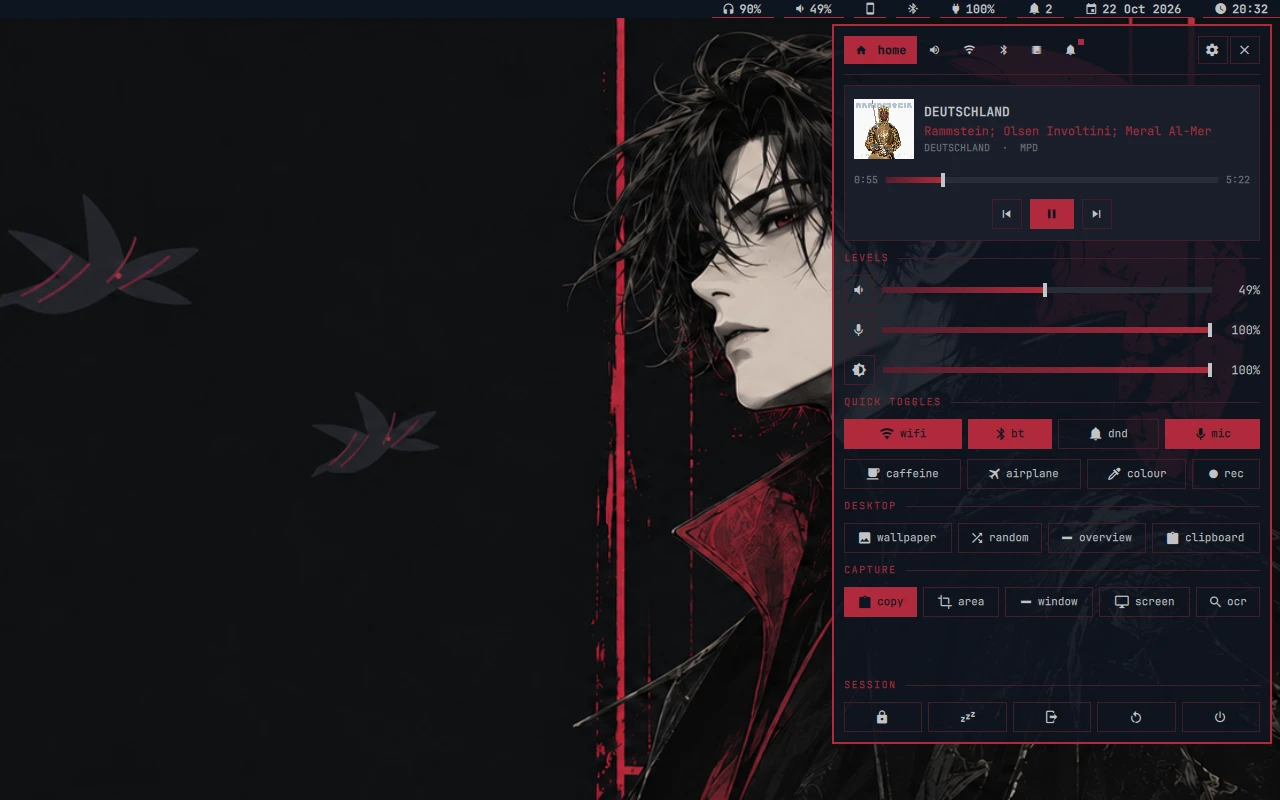 Control panel · media, volume/mic/brightness, quick toggles, capture, session |
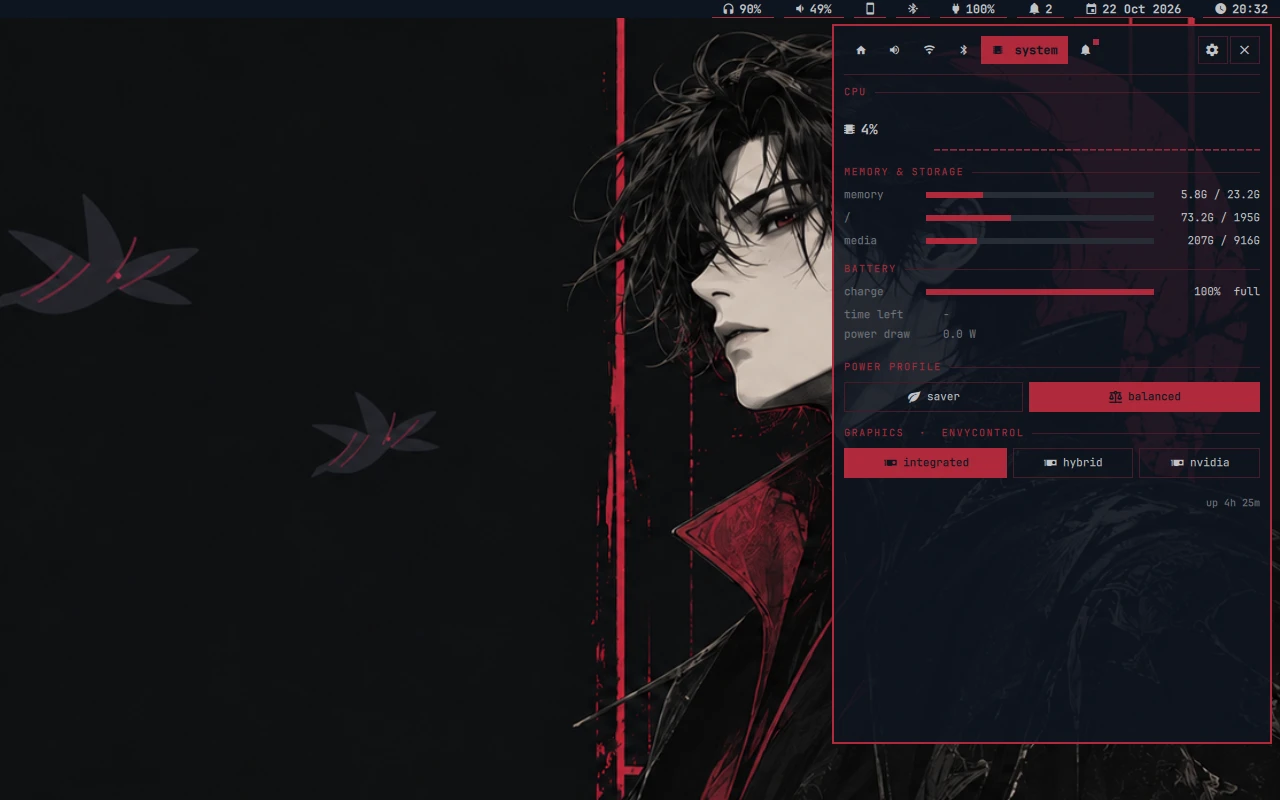 System · cpu, memory, disks, battery, power profile, GPU mode (envycontrol) |
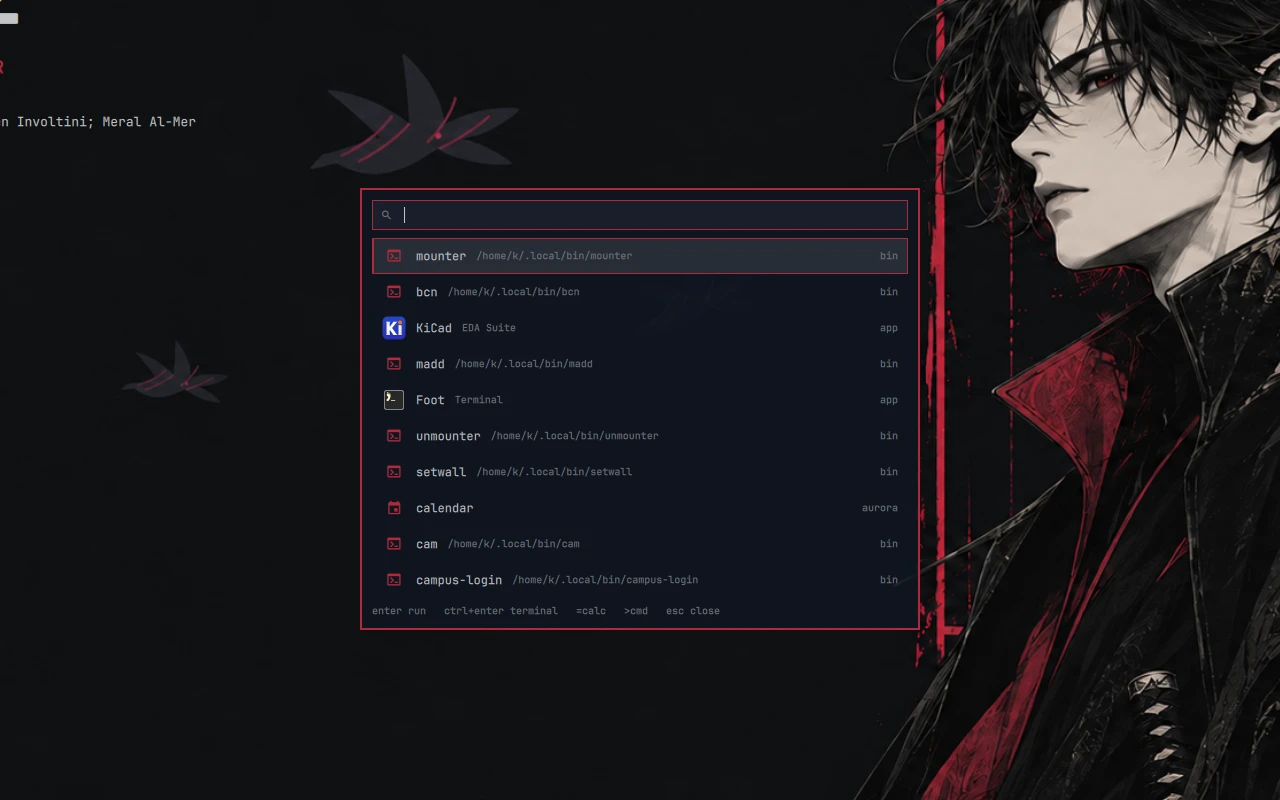 Runner (Super+R) · apps, scripts, calc, shell; also a dmenu for scripts |
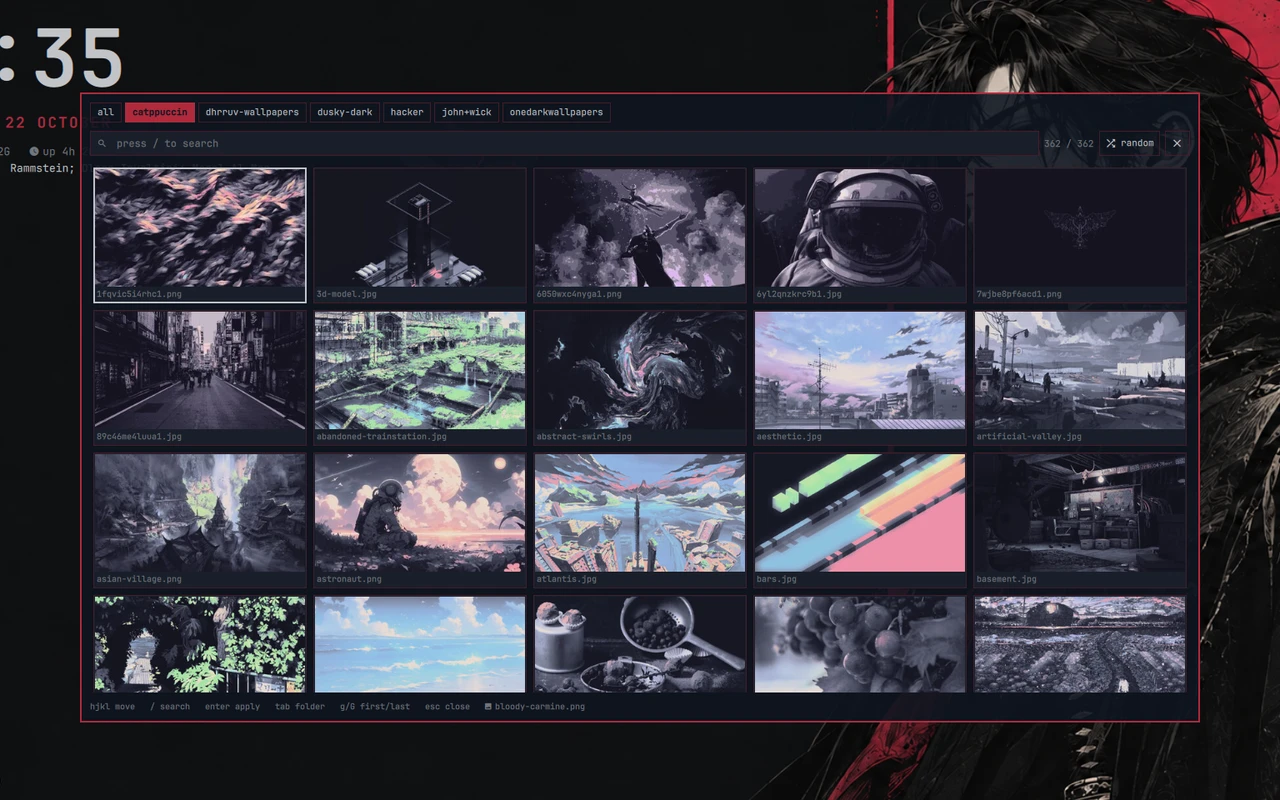 Wallpaper picker · folders, search, re-themes everything through pywal16 |
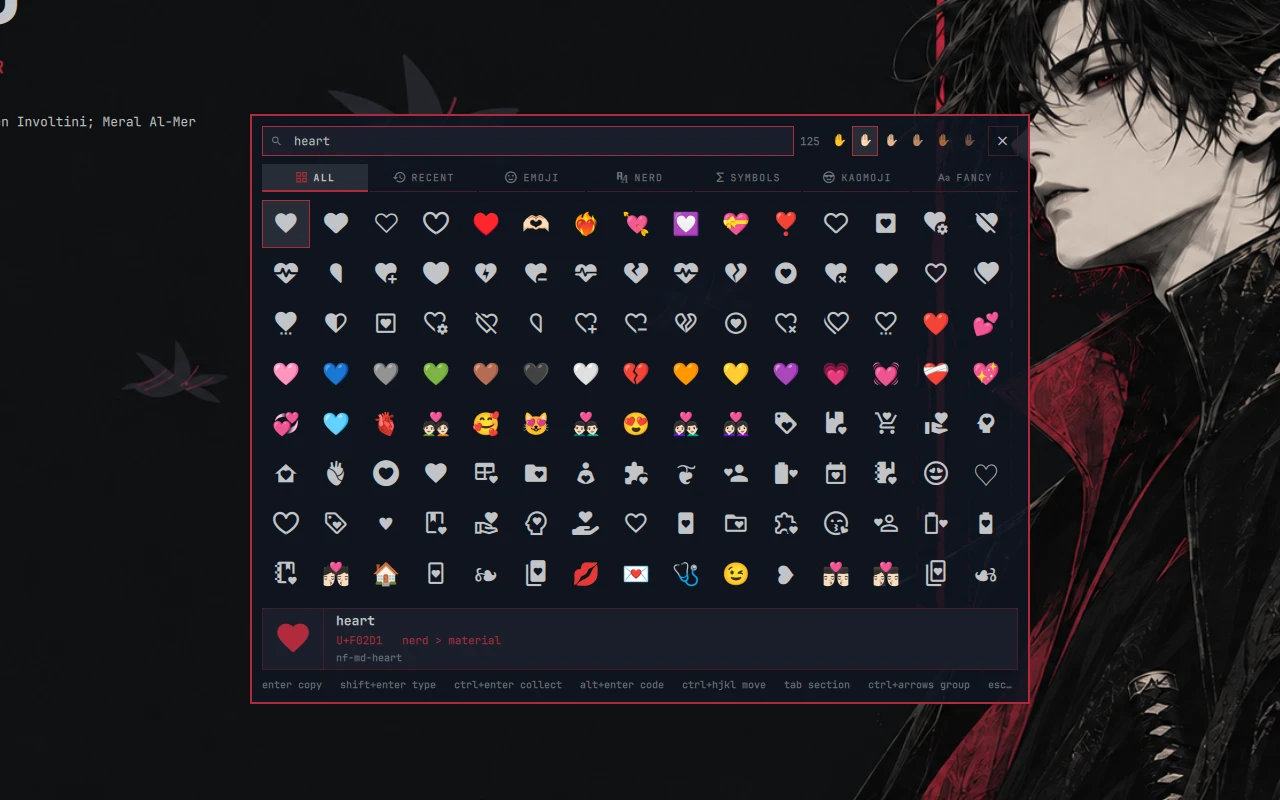 Glyph picker (Super+`) · emoji, nerd icons, symbols, kaomoji, fancy text |
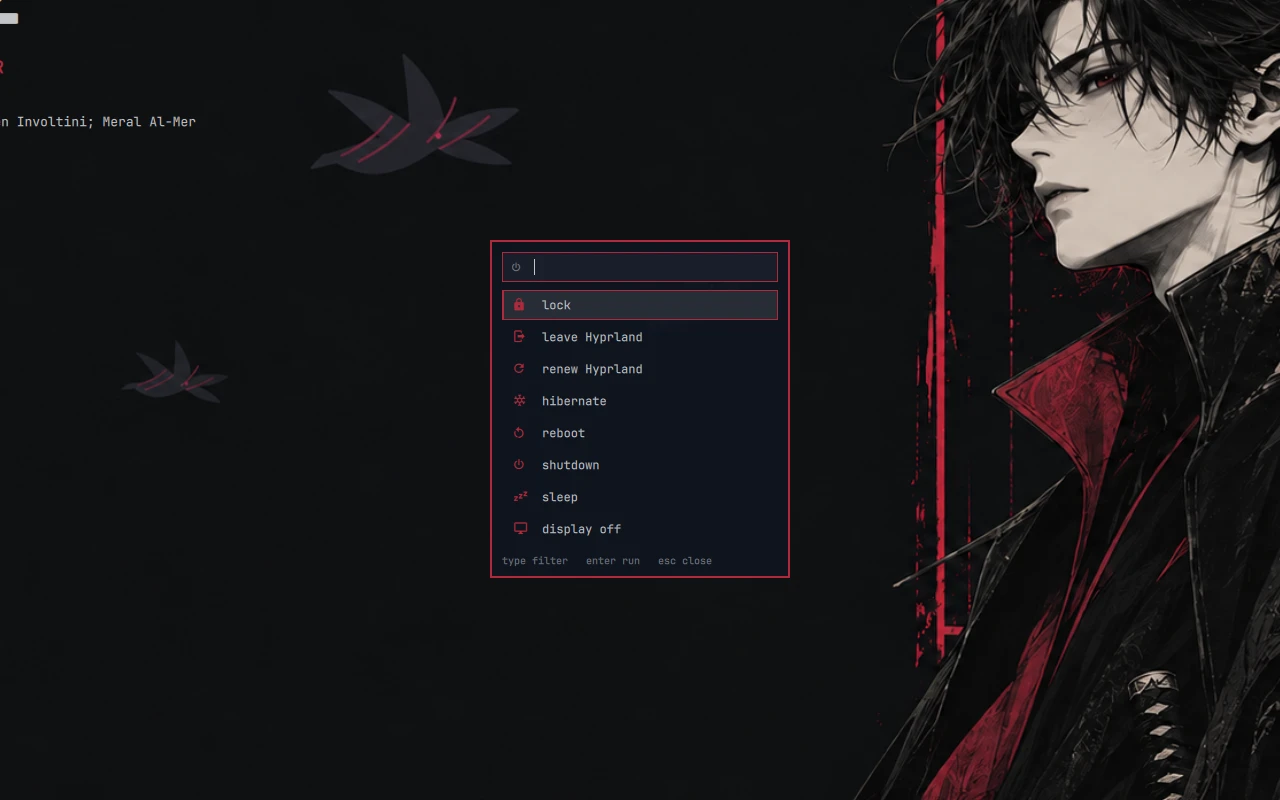 Power menu (Super+Esc) · lock, logout, suspend, reboot, ... |
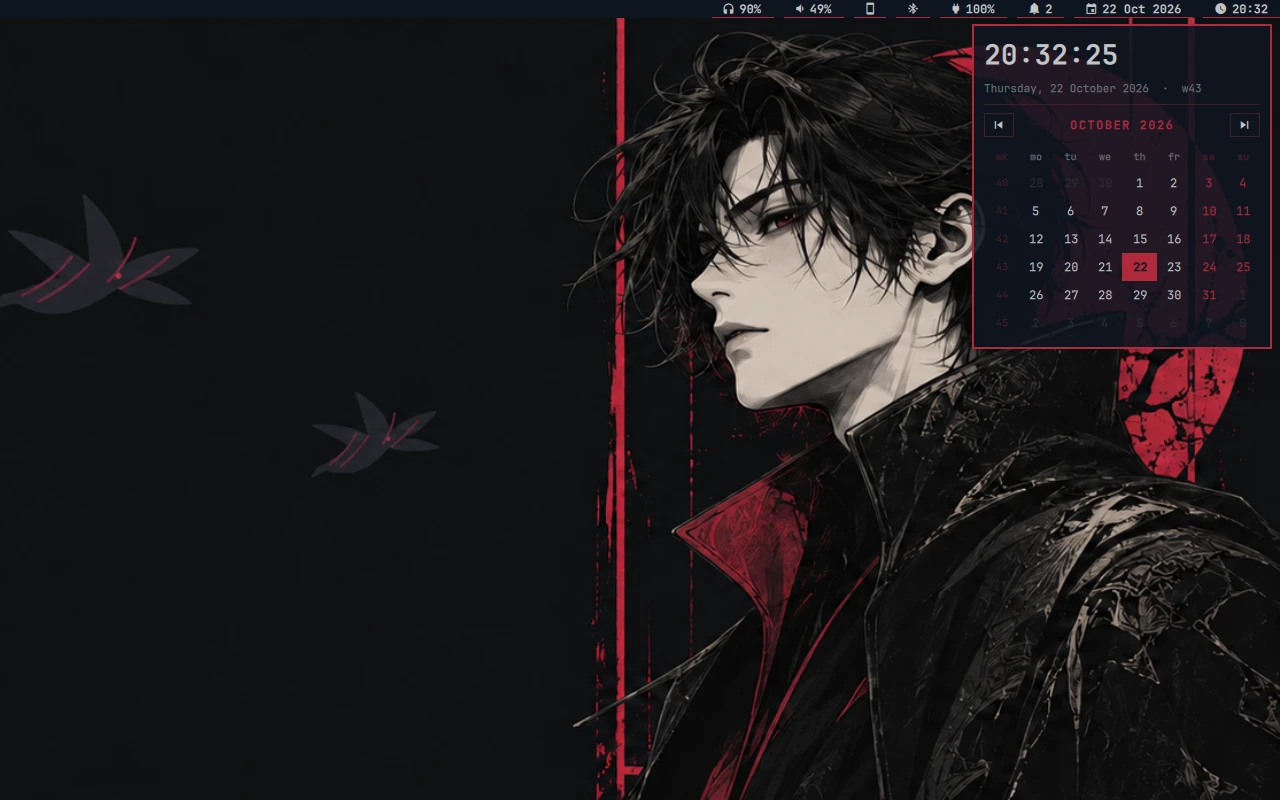 Calendar · from the clock in the bar |
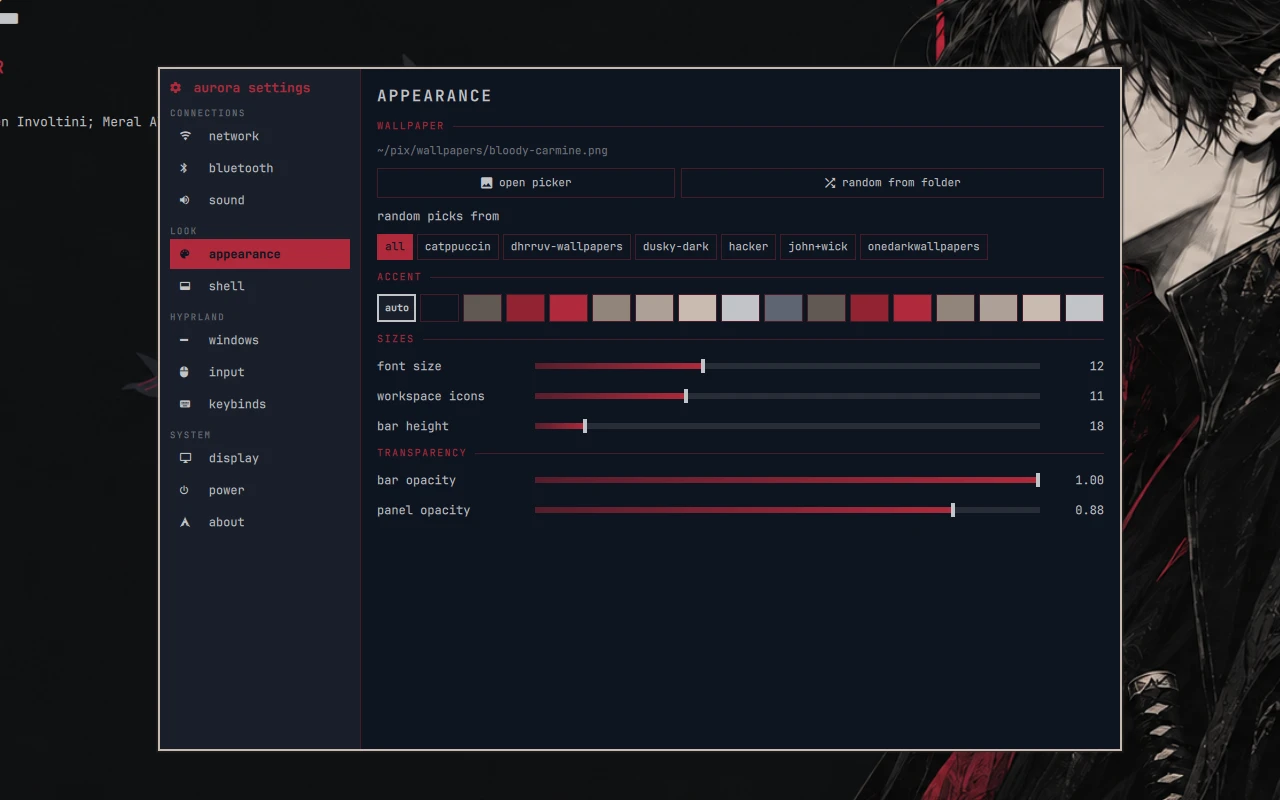 Settings (Super+I) · network, sound, appearance, Hyprland, keybinds, display, power |
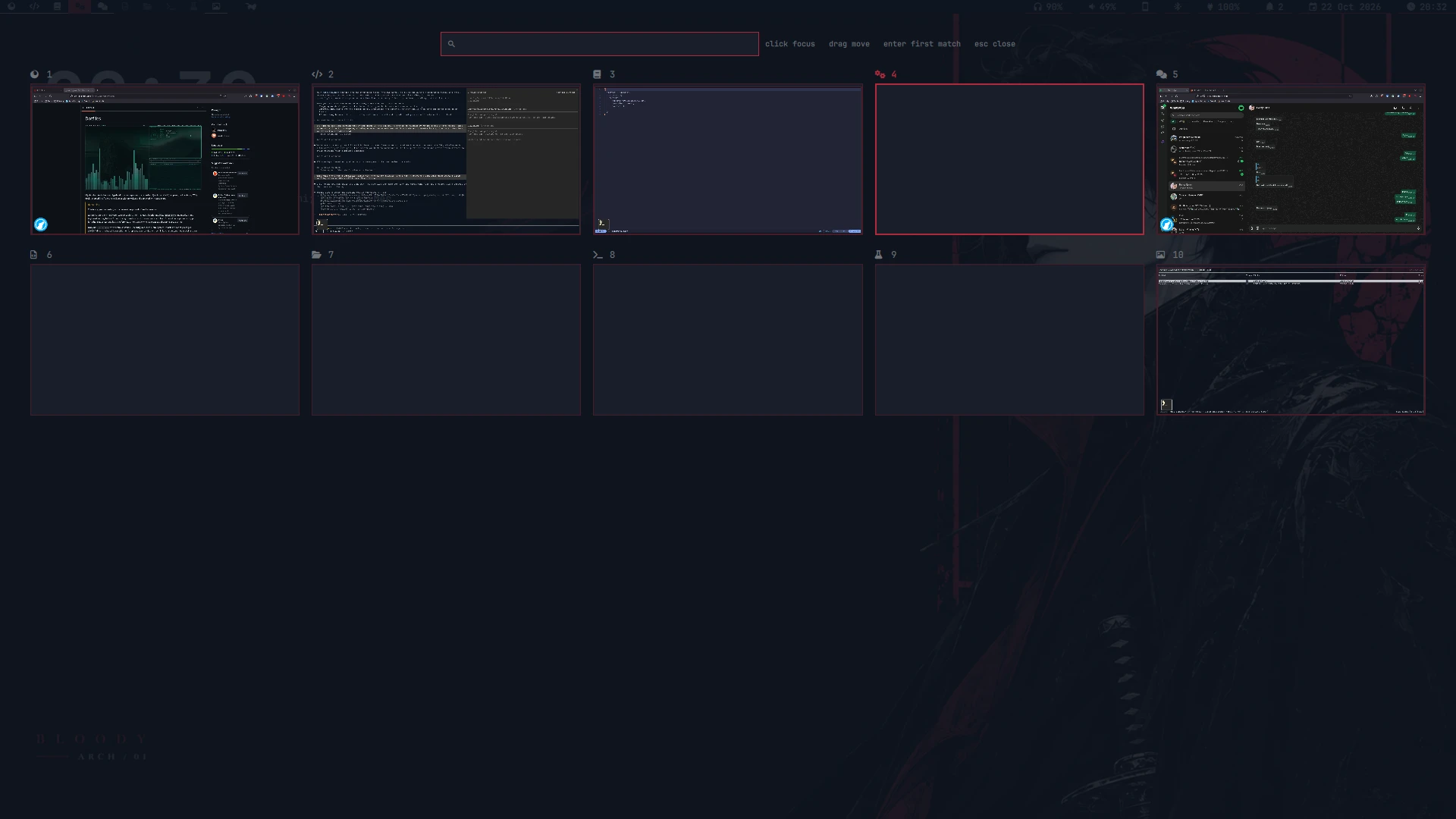 Overview · live previews of every workspace and window, click to jump |
|
Warning
This is my personal setup, not a general purpose dotfiles framework.
It's built around my hardware (Lenovo Legion, Intel + NVIDIA hybrid graphics, linux-zen), my monitors,
my keyboard and my habits. I'm not trying to make it work for everyone, and I won't be adding options
or support for other setups. It's public as a reference, or for people who want exactly the same
setup as me.
Only run install.sh on a freshly installed, unconfigured Arch Linux system. It installs a lot of
packages (NVIDIA drivers included if you pick them), replaces your configs with symlinks, changes your login
shell and can enable system services. Don't run it on a system you already use.
Just want a piece of it?
You don't need the installer for that. Browse the repo and copy what you like, for example:
.config/quickshell/aurora/: the shell (needs Quickshell; it reads its colours from~/.cache/wal/colors.json).config/hypr/: Hyprland in the new Lua config format.local/bin/: small scripts (setwall,brictl,sysact,tms, ...).config/wal/templates/: pywal16 templates for Hyprland, zathura, cava
Installing (fresh Arch only)
git clone https://git.krolyxon.com/dotfiles ~/.dotfiles
cd ~/.dotfiles
./install.sh           # interactive: pick packages per group
./install.sh --yes     # pre-select the default packages, no pickers
./install.sh --check   # only compare installed packages with the lists, changes nothing
The repo has to live at ~/.dotfiles (stow links into the parent directory).
What install.sh does:
- Refuses to run as root or on anything other than Arch, and asks for confirmation if the system doesn't look fresh (another desktop's config, or lots of configs this repo doesn't provide).
- Installs
stow gum git zsh, shows the disclaimer, then lets you pick packages per group. - Runs
stow . --no-folding. Files that are in the way are moved to~/.dotfiles-backup/<date>/, not deleted. - Sets zsh as your login shell.
- Installs
paruif it's missing, then installs the desktop packages and everything you picked. - Optionally copies
system/etc/keyd/default.confto/etc/keydand enableskeyd(capslock: tap esc, hold ctrl).
Afterwards, reboot and log in to Hyprland.
Packages
The lists live in packages/*.txt: one package per line, # for comments, and a trailing ! means
"listed, but not pre-selected".
| file | |
|---|---|
desktop.txt |
always installed: Hyprland, Quickshell, PipeWire, the tools the shell and keybinds call |
utils.txt |
CLI tools, fonts, media, small utilities |
dev.txt |
development tools |
gpu.txt |
Intel + NVIDIA (nvidia-open-dkms) drivers. Change this for your hardware |
optional.txt |
desktop apps |
aur.txt |
AUR packages (installed with paru) |
base.txt |
reference only, never installed: what the base install already provides |
What's inside
| WM | Hyprland (Lua config), hypridle, hyprlock, hyprpaper |
| Shell / bar | aurora (Quickshell) |
| Theming | pywal16: picking a wallpaper in aurora (or setwall) re-themes everything |
| Terminal / shell | foot, zsh |
| Editor | Neovim (LazyVim) |
| Launcher / menus | aurora's runner (aurora-run, also a dmenu replacement for scripts) |
| Files | lf, pcmanfm |
| Music / video | mpd + ncmpcpp, mpv |
| Font / icons | JetBrainsMono Nerd Font, Yaru |