rmptui


A fast, keyboard-driven MPD client for your terminal.
rmptui is a terminal interface for Music Player Daemon (MPD) in the spirit of ncmpcpp and rmpc. Browse your library, manage the queue and playlists, edit tags, read synced lyrics and watch a spectrum visualizer without leaving the terminal.
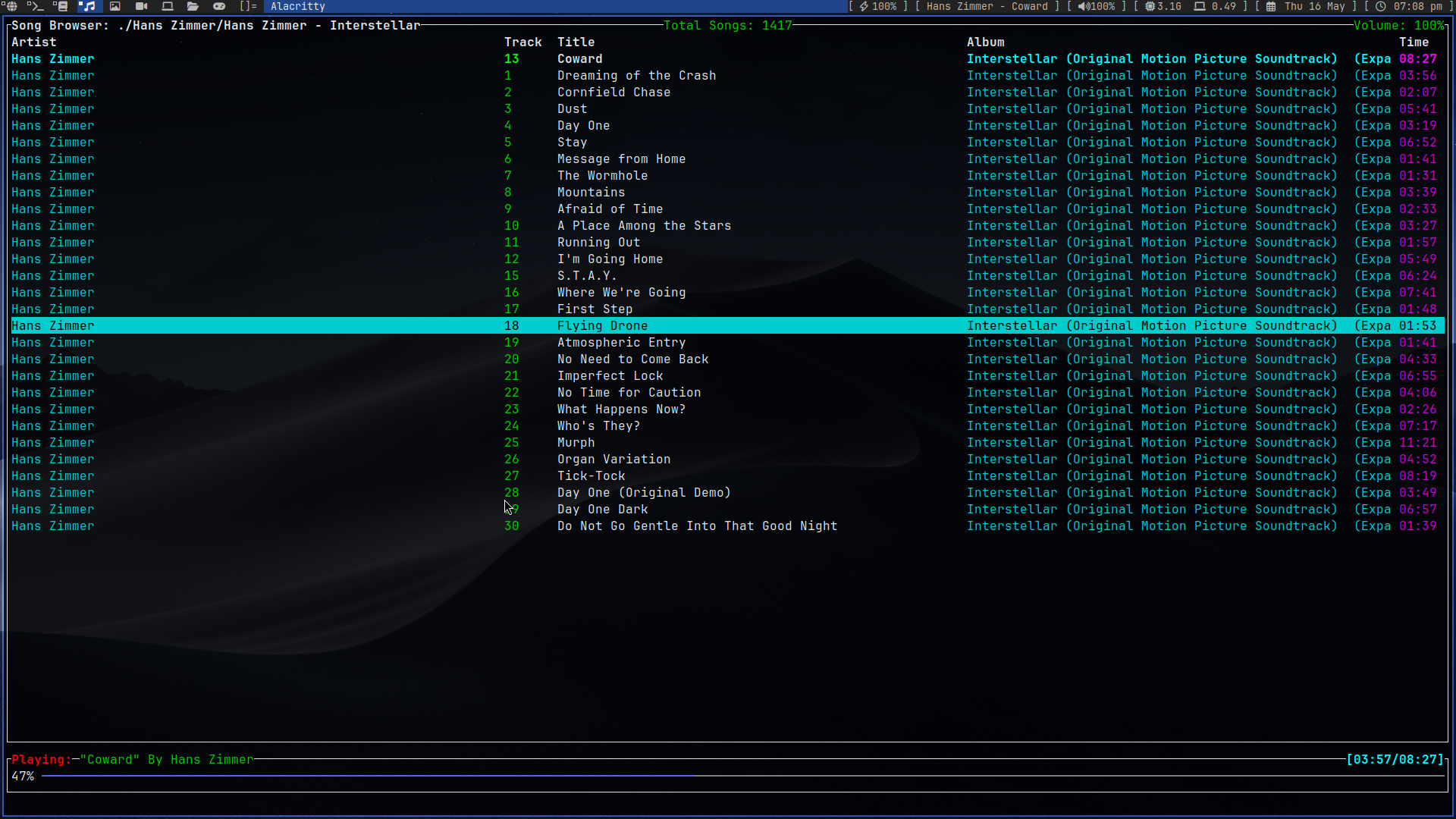
Screens
| Key | Screen | What it does |
|---|---|---|
1 |
Queue | The play queue with configurable columns. Play, remove, reorder, mark, shuffle, clear or save it as a playlist. L shows a synced lyrics pane next to it. |
2 |
Browse | Your music folders, ncmpcpp style. Stored playlists are listed at the bottom of the root folder. |
3 |
Playlists | Stored playlists and their songs: load, play from a song, remove or reorder songs, rename or delete playlists. |
4 |
Library | Album artists → albums (with year) → songs. t switches between AlbumArtist and Artist. |
5 |
Tags | Edit Title, Artist, Album Artist, Album, Track, Disc, Date, Genre and Comment of one or many songs. |
6 |
Visualizer | A spectrum analyzer fed by an MPD fifo output. |
7 |
Lyrics | Synced lyrics that follow playback, or plain lyrics you can scroll. |
Other highlights:
- Instant controls. All MPD traffic runs in background tasks over MPD's
idlenotifications, so seeking, volume changes and skipping never wait for the UI, and the UI never waits for the server. - Fuzzy search everywhere.
/searches the focused list;n/Ncycle through the matches. - Marks.
vmarks items; queue removal, add-to-playlist and tag edits then apply to every marked item. - Mouse support. Click to select, double-click to play/open, scroll with the wheel, click a tab to switch screens and click the progress bar to seek.
- TCP or Unix socket, with password support and automatic reconnection.
Requirements
- A running MPD server with its music library configured.
- Rust 1.88 or newer and Cargo to build from source.
Install
From a local checkout, run the installer to build the release executable and
copy it to /usr/local/bin/rmptui:
./install.shThe script uses sudo for the system-directory operations when needed. To use
a different binary directory or uninstall rmptui:
./install.sh --bin-dir "$HOME/.local/bin"
./install.sh --uninstall
Uninstall from a custom directory with
./install.sh --uninstall --bin-dir "$HOME/.local/bin". Run
./install.sh --help for usage.
Build from source
git clone https://github.com/krolyxon/rmptui.git
cd rmptui
cargo run --release
Configuration
On first launch rmptui writes a fully commented configuration to
$CONFIG_HOME/rmptui/config.toml. If CONFIG_HOME is not set, it uses
$XDG_CONFIG_HOME/rmptui/config.toml, then ~/.config/rmptui/config.toml.
Use rmptui --config FILE to load a different file, and
rmptui --print-default-config to see every option with its default. Restart
rmptui to apply changes.
You only need to keep the settings you change: anything left out keeps its default, table by table. Unknown options and conflicting key bindings are reported with the file and the offending value.
Upgrading from 0.1: the configuration format changed. rmptui refuses to start with a 0.1 file and tells you so; move the old file aside, start rmptui to generate the new one, and copy your MPD settings over.
The main sections:
[mpd]
host = "127.0.0.1"      # or a Unix socket path such as "~/.config/mpd/socket"
port = 6600
password = ""
music_directory = ""    # needed for the tag editor and local .lrc files

[playback]
seek_seconds = 5
volume_step = 5

[ui]
startup_screen = "queue"
mouse = true
lyrics_pane = false
queue_columns = [
    { field = "artist", width = 25 },
    { field = "track", width = 5 },
    { field = "title", width = 35 },
    { field = "album", width = 30 },
    { field = "duration", width = 7 },
]

[theme]
accent = "magenta"      # color names, 256-color indices or "#rrggbb"
visualizer = ["blue", "cyan", "green", "yellow", "red"]

[lyrics]
online = true           # look up lyrics on lrclib.net
cache = true

[visualizer]
fifo = "/tmp/mpd.fifo"
The MPD connection can also be set with environment variables, which take precedence over the file:
| Variable | Description |
|---|---|
MPD_HOST |
Hostname, address or Unix socket path. Use password@host to set both host and password. |
MPD_PORT |
Port; an explicit port in MPD_HOST takes precedence. |
MPD_HOST=192.168.1.20 MPD_PORT=6600 rmptui
MPD_HOST='secret@localhost' rmptui
MPD_HOST=~/.config/mpd/socket rmptui
Logs (and panic details) are appended to /tmp/rmptui.log. Set
RMPTUI_LOG=debug for more detail.
Visualizer
The visualizer reads raw audio from an MPD fifo output. Add this to
mpd.conf and restart MPD:
audio_output {
    type   "fifo"
    name   "Visualizer feed"
    path   "/tmp/mpd.fifo"
    format "44100:16:2"
}
[visualizer] must match the path and format. The fifo is only read while
the Visualizer screen is visible.
Lyrics
Lyrics are looked up in this order:
- An
.lrcfile next to the song (Song.flac→Song.lrc), when the music directory is known. - The cache in
$XDG_CACHE_HOME/rmptui/lyrics(~/.cacheby default). - LRCLIB, a free lyrics database. Results are cached.
Set lyrics.online = false to stay offline. F5 on the Lyrics screen fetches
the lyrics of the current song again.
Tag editor
MPD cannot change tags, so the tag editor writes the files directly. That
requires the music files to be on this machine: set mpd.music_directory, or
connect through MPD's Unix socket so rmptui can ask MPD for it. After saving,
rmptui asks MPD to rescan the edited folders.
Key bindings
These are the defaults; every binding is configurable in the [keys.*] tables
of the config. ? shows the active bindings inside rmptui.
Bindings are grouped by context. A key is looked up in the focused popup or
screen first, then in navigation, then in global, so screen bindings
shadow global ones on that screen (for example R renames a playlist on the
Playlists screen and toggles consume elsewhere).
Global
| Key | Action |
|---|---|
1–7 |
Switch screen |
Tab / Shift+Tab |
Next / previous screen |
p |
Toggle play/pause |
s / x |
Pause / stop |
> / < |
Next / previous track |
f / b |
Seek forward / backward |
+ = / - |
Volume up / down |
m |
Toggle mute |
r z y R |
Toggle repeat, random, single, consume |
U |
Rescan the music database |
? F1 |
Show key bindings |
q Ctrl+c |
Quit |
Lists
| Key | Action |
|---|---|
j k / arrows |
Move down / up |
g G / Home End |
Top / bottom |
Ctrl+d Ctrl+u, PageDown PageUp |
Half page / page |
h l / arrows |
Back or previous column / open or next column |
Enter |
Play or open the selected item |
Space |
Add to the queue (toggles songs in the browser) |
a |
Add to the queue, a new playlist or an existing one |
v / V |
Mark item / clear marks |
/, n / N |
Search, next / previous match |
Screens
| Screen | Key | Action |
|---|---|---|
| Queue | d Delete |
Remove the song (or all marked songs) |
| Queue | J / K |
Move the song down / up |
| Queue | c |
Clear the queue (asks first) |
| Queue | Z / S |
Shuffle / save as playlist |
| Queue | o |
Jump to the playing song |
| Queue | L |
Toggle the lyrics pane |
| Playlists | d, J / K |
Remove / move the selected song |
| Playlists | R / D |
Rename / delete the playlist |
| Library | t |
Switch between AlbumArtist and Artist |
| Tags | Enter |
Edit the selected tag |
| Tags | w / u |
Write / discard pending changes |
| Lyrics | F5 |
Fetch lyrics again |
In text fields, Enter submits, Esc cancels, Ctrl+w deletes a word and
Ctrl+a / Ctrl+e jump to the start / end.
License
rmptui is distributed under the GNU Affero General Public License v3.0.